Website redirects are a crucial part of maintaining a healthy, user-friendly, and SEO-optimized website. They guide users and search engines from an old or incorrect URL to a new, correct one. However, when misconfigured, redirect issues can lead to broken links, poor user experience, and damage to a site’s search engine rankings.
What is a Website Redirect?
A redirect is a server-side instruction that sends a web browser (and users) or a search engine crawler to a different URL than the one originally requested.
The most common types of redirects include:
- 301 Permanent Redirect: Indicates that the page has permanently moved to a new location. This is the most important type for SEO, as it passes almost all the link equity (“link juice”) from the old page to the new one.
- 302 Found/Temporary Redirect: Indicates that the move is temporary. This type is generally used for maintenance or A/B testing and does not pass significant SEO value.
- Meta Refresh: A client-side redirect that happens at the browser level, often used with a brief delay. They are generally not recommended for SEO as they are slower and can confuse search engines.
Common Causes of Redirect Problems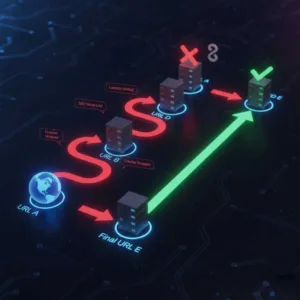
Redirect issues often stem from simple mistakes in configuration or unforeseen consequences of website changes.
1. Redirect Chains
A redirect chain occurs when a URL redirects to another URL, which then redirects to a third URL, and so on.
- The Problem: Each step in the chain adds latency (slows down the page load) and reduces the amount of link equity passed. Search engines may stop following the chain after a few hops (usually 3-5), resulting in the page not being indexed.
2. Redirect Loops
A redirect loop (or infinite loop) is the most critical redirect error. It happens when a URL redirects back to itself or to a previous URL in the chain, causing an endless cycle.
- The Problem: The browser or crawler gets stuck in the loop and eventually returns an error message like “Too many redirects” or “ERR_TOO_MANY_REDIRECTS”. This completely blocks access to the page.
3. Malware Injection and Forced Redirects (The Hacked Site Redirect) 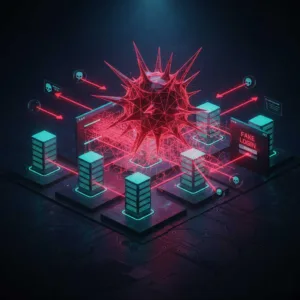
One of the most insidious causes of unexpected redirects is malware infection. Attackers inject malicious code into website files to forcibly redirect visitors.
- The Problem:
- Phishing/Scam Sites: Visitors are redirected from the legitimate website to a deceptive or malicious website (e.g., a phishing login page, fake prize notification, or technical support scam).
- Malicious Advertising: Users are redirected to sites serving predatory ads or installing unwanted software.
- Cloaking: The redirect may only trigger for specific targets (e.g., users from certain countries, mobile users, or search engine crawlers) to remain undetected by the site owner.
4. Mixed Redirect Types
Using the wrong redirect status code can confuse search engines about the page’s status and affect SEO.
- The Problem: Using a 302 Temporary Redirect when the move is permanent means search engines will keep the old URL in their index and won’t transfer link equity to the new page.
5. Post-Migration Errors
When migrating a site to a new domain, changing the permalink structure, or implementing an SSL certificate, massive redirect issues can occur.
- The Problem: If a large-scale set of redirects (e.g., redirecting thousands of old URLs to new ones) is deployed incorrectly, it can lead to numerous 404 errors or widespread redirect chains/loops.
Visualizing the Danger: The Rise of AI Hacking Imagery
While redirect issues are technical, their impact—lost traffic, reputation damage, and vulnerability—is substantial. In today’s landscape, the threat of cyber-attacks, sometimes leveraging AI, is a pressing concern for all website owners.
AI-generated images are often used to visually represent the abstract concept of hacking and cybersecurity in a more compelling way. These visualizations often feature:
- Cyberpunk Aesthetics: Neon-lit screens, lines of green or blue binary code scrolling rapidly, and hooded figures working in the dark.
- Conceptual Imagery: Digital networks resembling brains or webs being “broken” by glowing, abstract forms representing AI or malware.
- The Hacker Profile: Stylized images of robotic arms, digital masks, or abstract human-machine interfaces symbolizing the automation and sophistication of modern threats.
These images underscore the importance of robust website maintenance. A website with redirect issues is not just a frustrating experience for a user; it can be an indicator of underlying structural problems that a malicious entity might exploit. Ensuring your site structure, including all redirects, is flawless is a critical step in overall digital hygiene.